
요약
Hi! I’m one of the contributors to GIMP. You might be familiar with my previous work, such as adding support for essential file formats, exploring cutting-edge color space models, and perhaps my greatest achievement, moving the “About” option to the bottom of…
본문
Hi! I’m one of the contributors to GIMP. You might be familiar with my previous work, such as adding support for essential file formats, exploring cutting-edge color space models, and perhaps my greatest achievement, moving the “About” option to the bottom of the Help menu.
Yet even those lofty accomplishments were not enough for me. In my arrogance and hubris, I decided to tackle a challenge that has confounded man and Wilber-kind alike since time immemorial. Something that has continued to elude us despite modern advances in science and technology. Something they said couldn’t be done! Something…

…like implementing a shape tool in GIMP.
“So, can you draw a circle now?”Yes. That was always an option.
The traditional methods involved using the rectangle and ellipse tools to create templates for these shapes. An alternative method, the GFig plug-in, has existed since at least 1997 and was specifically designed to let users create all kinds of shapes.
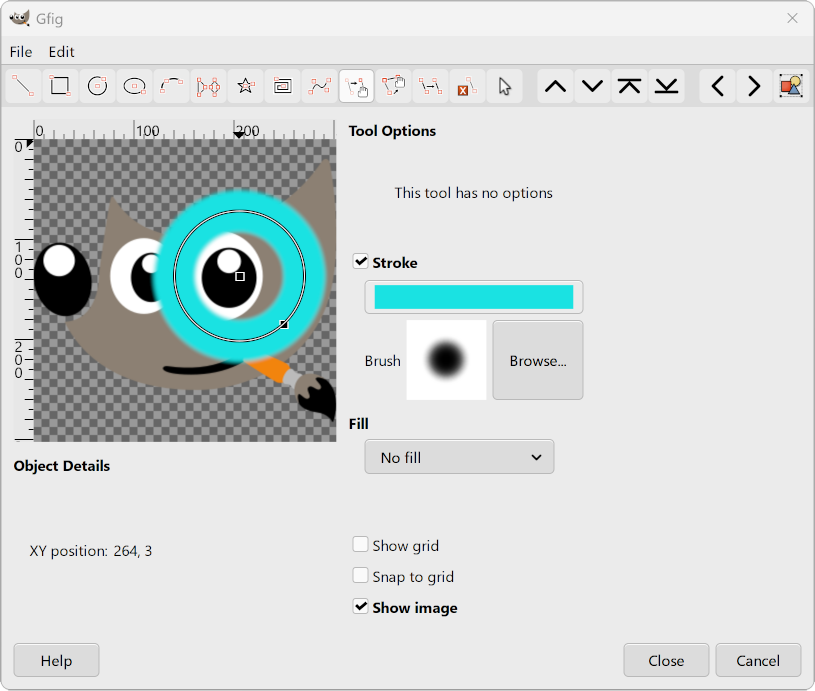
Admittedly, neither of these methods were the most convenient (or discoverable!) option.
The newly added Shape tool lets you make different types of shapes right on the canvas, including lines, rectangles, ellipses, polygons, stars, and spirals. You can either create them as a separate vector layer or draw directly on all selected raster layers. You can of course customize the fill and stroke settings just like our existing vector layers.
Now that we’ve reached this milestone in GIMP development, let’s take a minute to look back and see how we got here!
Ancient History
According to legend, the first public request for a shape tool was made a quarter of a century ago on November 23rd, 2001. The original requester, Hakon, wanted to be able to draw simple shapes like squares and rectangles. Other community members suggested using the Stroke Selection feature to resolve the initial concern, but the interest in a full-on Shape tool continued.
Over time, the community discussion moved towards having vector layers as a pre-requisite for shapes. Since there were already methods to create raster shapes, it was believed that the one true Shape tool should be able to create shapes that could be non-destructively edited and transformed afterwards. Anything less would be unworthy of the title!
So the people waited, hoping that a contributor would arise who was pure of heart, strong of spirit, and able to bring vector layers to the masses.
Vector Layers
As foretold by prophecy, in 2006 Hendrik Boom created vector layers as a Google Summer of Code project. While the code was functional by the end of the summer, there were still some missing polish needed before it could be merged into GIMP itself.
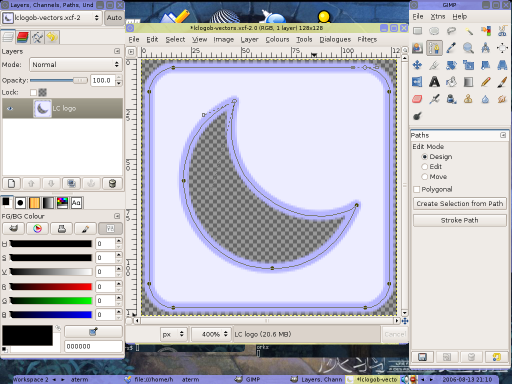
Over the years, several developers such as project co-maintainer Michael Natterer, Help Manual maintainer Jacob Boerema, Michael Schumacher, and earlier contributors Martin Nordholts and Gilles Rochefort worked to maintain, update, and improve the code. Finally, its development was prioritized and completed for the GIMP 3.2 release!
Proof of Concept
With the necessary foundation in place, I took my first shot at making a Shape tool in early spring. I didn’t have much experience with making a new tool, so I based my early experiments off the Scale tool. The thinking was that you could place a “unit” vector layer, like a circle with a radius of 1, on the canvas and then stretch it as the user dragged the cursor. Pretty simple and straight-forward, right?
Unfortunately, I didn’t really understand how to render previews of the shape on the canvas. Several failed attempts at real-time updates later, I settled on creating the path in the background and rendering it once the user released the cursor. Not ideal, but it was a start, and it allowed me to quickly draw circles, squares, and triangles!
Shortly after my first demo, a new contributor expressed interest in creating a shape tool. I shared my work-in-progress code with them and let them take charge.
First Version
As it turned out, that person wasn’t able to continue working on the project. So in early October, I took another shot at it. Since my earlier attempt, I’d learned more about how GIMP draws GUI overlays on the canvas. Using the Draw tool APIs, I finally got a live preview to appear matching the selected shape. I could even show whether the shape would be filled in or just an outline before committing it.
Adding lines, rectangles, and ellipses was fairly easy after that - GIMP already has code to create paths in those shapes. But how could I create different-sided polygons like triangles and hexagons? After a few attempts of writing shape-specific functions, I realized GIMP already had working examples of how to do this generally - in the GFig filter!
In-canvas: “Apple Cake and Cinnamon Tea”, digital painting by Aryeom - 2013
Reviewing the filter code, it dawned on me that polygons fit within a circle,
so you can easily draw any type by finding n points on the circle and
connect lines between them. Once I realized that stars were just polygons
with extra midpoints that were pulled into the center halfway, those were
quickly added as well. While I probably won’t win an award for these
brilliant mathematical observations, it was fun to figure out and then
see working in GIMP!
Spirals were a little trickier. The GFig spiral algorithm involved places a ton of points close together and then drawing a line between them all. This worked (sort of) for painting on raster layers, but it created a laggy vector layer that was essentially uneditable.
One of the early testers Rich2005 showed me pictures of spirals from a GIMP 2.10 plug-in created by Ottia Tuota. That helped me understand that I could represent a spiral as a series of connected half-circles that got progressively larger. With some trial and error, I reimplemented the algorithm so that it created much more efficient (and editable) spirals!
In canvas: “Webb’s First Deep Field”, NASA - 1997

In canvas: “Comet Hale-Bopp (C/1995 O1)”, NASA - 2022
In canvas: “Bruce McCandless II during EVA in 1984”, NASA - 1984

My primary goal was to get a working version of the Shape tool done and added to GIMP, providing the essential requested features without letting perfect become the enemy of good for another 25 years. That means there’s plenty of things we can do to make it even better!
A wishlist item is to add an option for custom shapes. The preset ones are fine, but it would be nice if you could also save and use your own created shapes with this tool. The infrastructure for this is already in place - it’s actually how the spiral shape is loaded and displayed. However, it’ll require us to create a new resource type for shapes (like brushes and patterns) because we want to be able to allow custom parameterized shapes (such as the ability to choose the number of branches in a star shape, etc.), and since we’re already making codebase-wide changes with the upcoming project format, I wanted to hold off for now.
Another planned update is developing a Shape layer concept. Right now the tool creates regular vector layers. While these work fine, the layer doesn’t retain the settings afterwards - so you can’t adjust the number of points or the type of shape without editing it directly in the Path tool. We could add some metadata to the layer of course, but after discussing with other contributors, a dedicated Shape layer with actual APIs to handle that automatically would be a lot better.
“How can I try it out?”Right now, the Shape tool lives only in our 3.3 development branch.
We do have development builds if you’d like to test it out in its current form - along with a bunch of other new and in-progress features (some of which we’ve detailed recently, and some we’ll be sharing more details about soon). If you notice problems or have suggestions, feel free to let us know.
“But what about the memes?!”GIMP’s lack of a dedicated Shape tool is a foundational joke of the Internet. It has provided material for generations of forum posters and social media commentators. I’m aware that by adding this feature, we will potentially put thousands of reply guys out of work.
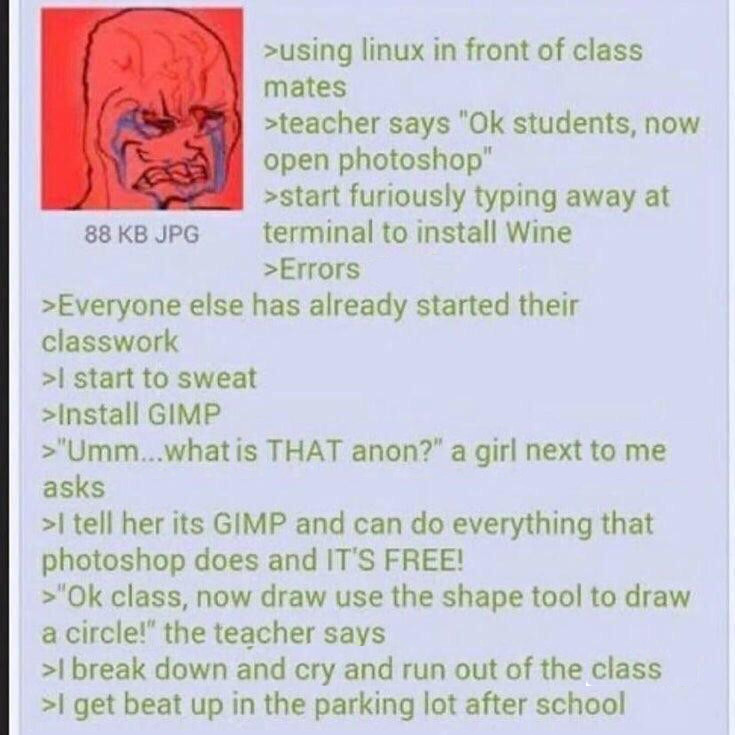
I have grappled with the consequences of doing this, and did not make the decision lightly. To help those affected, I have put together a list of transitional jokes you can make for future GIMP announcements and news posts:
- You can comment on how long it took for GIMP to implement a Shape tool.
- You can claim that GIMP has finally reached feature parity with MS Paint, Barneyscan XP, and so on.
- Alternately, you can snark that GIMP still hasn’t reached feature parity with the aforementioned softwares. Your choice!
- You can point out bugs, missing features, or UX/UI issues in the current Shape tool.
- (Though please, let us know too so we can fix them!)
Know that we’re here for you in this difficult time. Change can be scary, but I’m confident we can navigate this brave new post-Shape-tool world, together.
Final thoughts?It’s difficult to make a news post about a shape tool without being at least a little tongue-in-cheek. But sincerely, I hope this new tool is helpful for everyone! I had a lot of fun working on it, and I think it will make several workflows easier for users.
I also hope that this story inspires you to try helping with some “big”, unsolved issue you’re familiar with. A Shape tool in GIMP didn’t happen because I’m some unique, once-in-a-generation programmer (and if you think that, a quick check on my commit history should clear the misconception up pretty quick!). I just saw a problem and was willing to try (and fail) repeatedly until progress was made. Sometimes that’s all it takes.
I’m grateful for all the help and feedback I’ve received while working on this. GIMP Forum regulars like Rich2005, MrsP-from-C, Scallact, and sallyanne provided great testing feedback and suggested some uses for this tool that I hadn’t even considered. Members of the community such as Anders Jonsson, Denis Ranglov, Jehan, Liam Quin, Reju, Richard Gitschlag, Roland Taylor, and Win H gave me a lot of assistance with development and design - it’s always a team effort!