요약
Set it and forget it
본문
 By
Parth Shah
Published May 3, 2026, 7:00 AM EDT
By
Parth Shah
Published May 3, 2026, 7:00 AM EDT
Parth is a technology analyst and writer specializing in the comprehensive review and feature exploration of the Android ecosystem. His work focus on productivity apps and flagship devices, particularly Google Pixel and Samsung mobile hardware and software.
He provides expert guidance on productivity software, system optimization, and the advanced functionalities that allow users to maximize their device's potential. His analyses are crucial resources for readers seeking to master complex operating system features and streamline their digital workflows.
When he is not busy with technical analysis and software evaluation, Parth dedicates his time to watching K-dramas, studying mobile technology trends and the role of artificial intelligence.
Sign in to your Android Police accountWith the rollout of Scheduled Actions, Gemini has evolved from a casual chatbot into an active operator that handles the heavy lifting of my week before I even sit down at my desk.
Instead of manually digging for weather reports, organizing my daily briefings, or staying on top of my task lists, I have offloaded those repetitive tasks to AI.
Let me break down the specific Gemini Scheduled actions I use to reclaim my time and keep my workflow running on autopilot.
 Related
I used Gemini wrong for months, here's the setup that actually works
Stop using Gemini like ChatGPT
Posts 11 By Parth ShahCreating a weekend meal plan


By Friday night, the last thing I want to do is stare at a blank fridge and try to piece together a meal plan. After a long week of writing and managing business portfolios, deciding on a healthy meal for the weekend is the last thing I want to do.
I want to eat healthy, I want it to be vegetarian, and I don’t want to spend an hour scrolling through food blogs.
This is where I let Gemini take over the role of digital chef. I have set up a scheduled action that hits my phone just as I’m winding down for the week. It gives me a curated weekend menu that fits my specific dietary needs without me having to lift a finger.
I have asked Gemini to suggest two healthy vegetarian dishes for me every Friday at 11.00 PM.
The best part here is the consistency. Because Gemini remembers my preferences — like the fact that I’m a vegetarian who avoids eggs — I don’t have to repeat myself every week.
By the time I reach the grocery store on a Saturday night, I already have a grocery list ready in a Gemini conversation.
Busting writer’s block
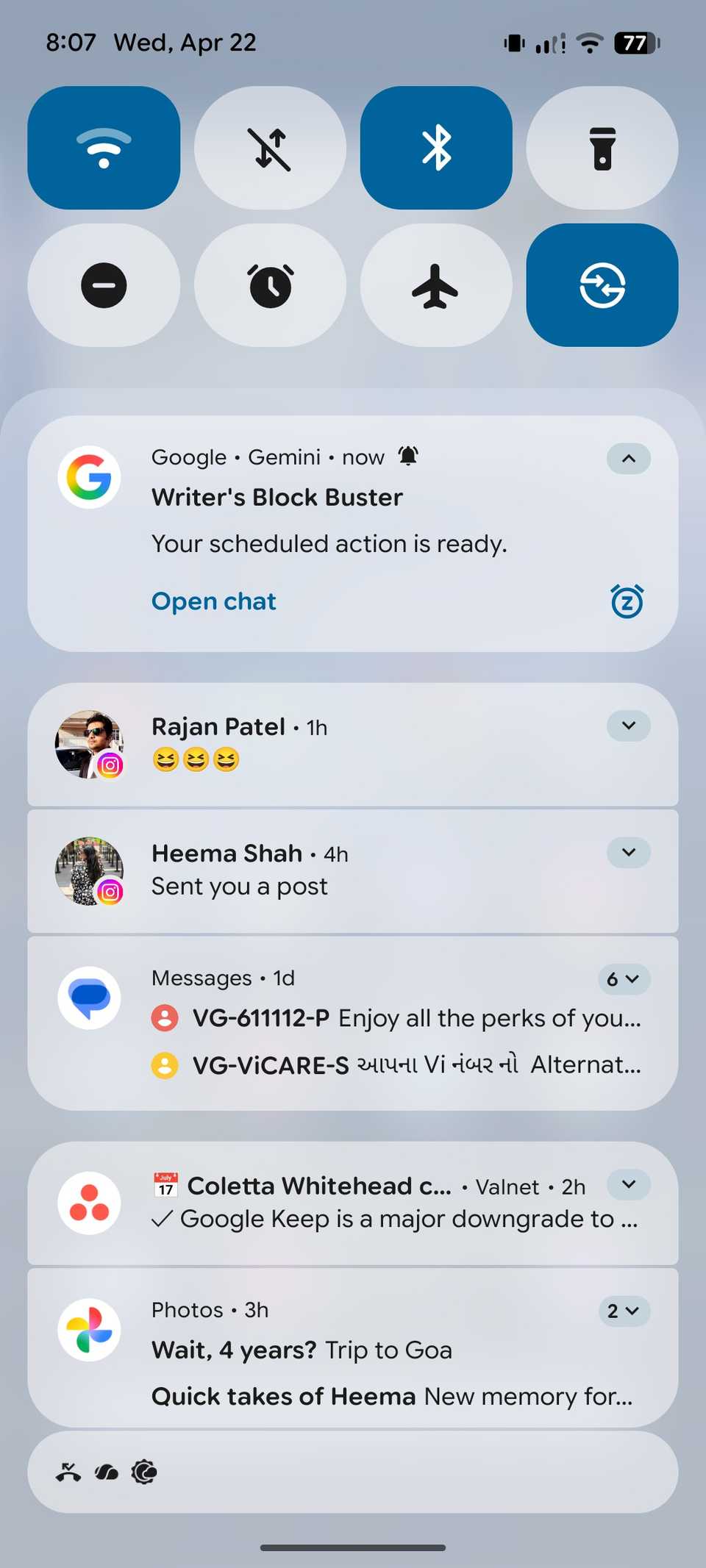
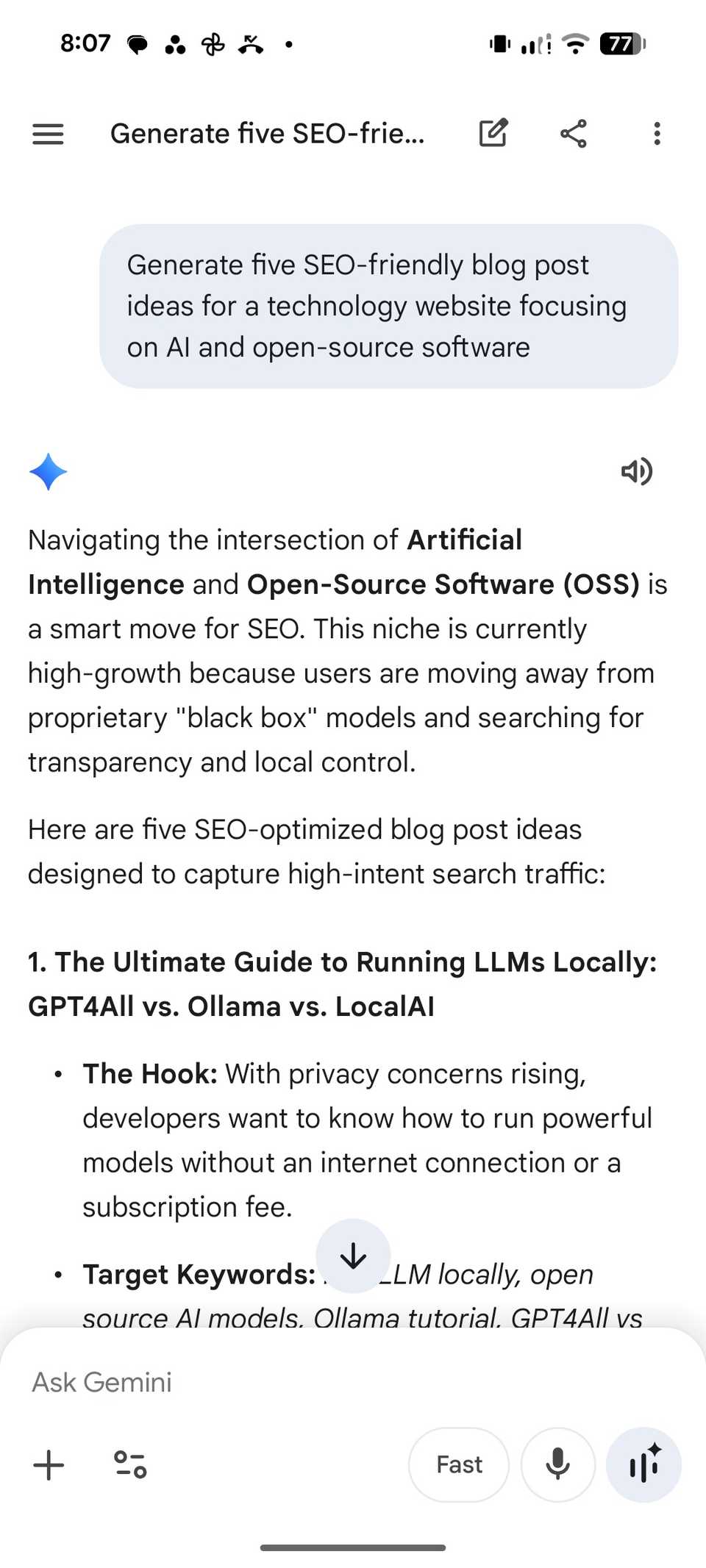
Monday morning is when my work week starts. As a tech writer, this is the moment I need to shift from catching up on the latest trends and generating some blog post ideas.
Instead of staring at a blinking cursor or scrolling through tech Twitter (sorry, X) for inspiration, I have Gemini act as my virtual editorial board.
By scheduling this action, I ensure that my content pipeline is always full of fresh ideas before I even finish my morning tea.
I ask Gemini to
Generate five SEO-friendly blog post ideas for a technology website focusing on AI and open source software.
Having this land in my notifications at the start of the week eliminates that mid-morning creative block. I can skip the brainstorming session and go straight into the research and writing process.
Planning my ‘weather-ready’ outfit


Living in a place like Surat, the weather isn’t a conversation starter — it’s a challenge. Between the soaring afternoon heat and the sudden humidity shifts, picking the right outfit is the first decision of the day that I would rather not make.
To solve this, I have turned Gemini into my personal stylist. I have a scheduled action that does the thinking for me while I’m still waking up.
I have set a scheduled action with this prompt:
Check the weather forecast for today in Surat. Based on my preference for bamboo polo shirts and casual attire, suggest a comfortable outfit for today’s humidity level and tell me if I’ll need an umbrella for my commute.
Gemini runs it every day at 7 AM. It’s a small automation, but it removes one more micro-decision from my morning. By the time I walk into my dressing room, the plan is already set.
Gemini gives me outfit suggestions with fabric, fit, and protection details. It even displays wind details and whether I need an umbrella for the day.
 Related
I tried to let Gemini write my emails for a week — here is why I had to intervene
I let Gemini write my emails for a week and this happened
Posts 1 By Ben KhalesiReceiving a personalized news digest


Gemini’s News Digest template is a great foundation, but I don’t use it as-is. I have customized it with a personal touch.
Instead of a random list of headlines, I get a structured breakdown of the three specific worlds that I’m interested in.
Here is the prompt I use to receive personalized news headlines right on my phone and desktop.
Use the News Digest format to summarize the last 24 hours of news, but strictly filter for three categories:
1. Major global tech breakthroughs (focusing on AI and Android)
2. Key headlines in Indian politics
3. Results or upcoming fixtures for the Indian Cricket Team and IPL
Use bullet points and keep the tone objective but sharp.
The twist here is the filtering. By giving Gemini specific guidelines, I have eliminated the noise of celebrity gossip or international fluff that usually clutters a standard news app.
Put a stop to manual tasks
By setting up these Gemini Scheduled actions, I have turned a series of repetitive micro-tasks into a seamless, invisible workflow that operates in the background of my life.
Whether you start with a simple morning briefing or go all-in on a fully automated weekly schedule, the shift to a proactive AI is a total game-changer.
So, what are you waiting for? Give these routines a try, get creative with new ones, and automate your week in no time.