요약
Google releases CAD drawings and specs for the Fitbit Air pod, allowing 3rd party companies to make band and accessories
본문
Google Releases Fitbit Air CAD Drawings & Specs: Bicep Bands Welcomed! June 3, 2026 by Ray Maker|Fitbit Reviews » Sports Technology News and Reviews|Comments (22)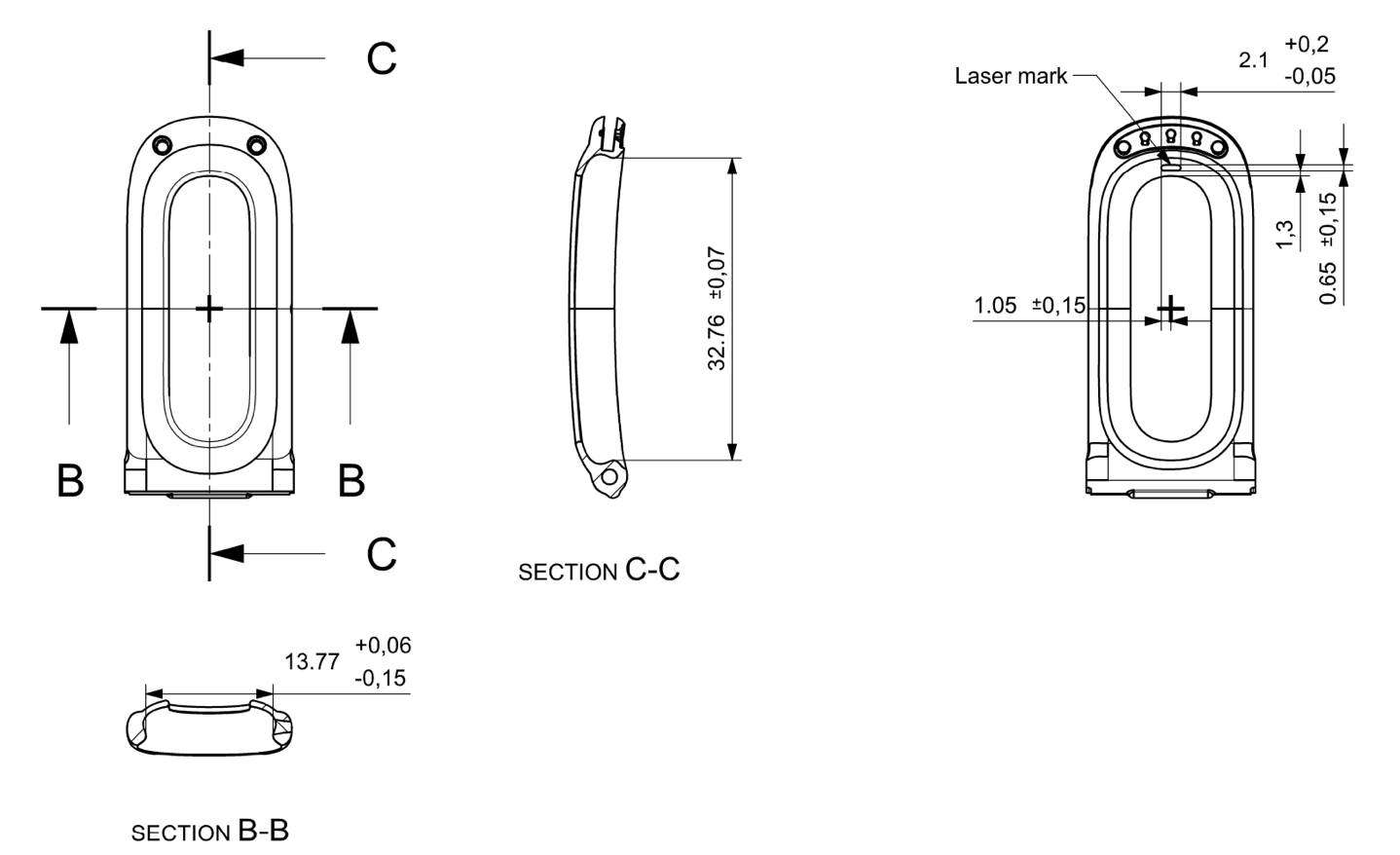
Google has opened the floodgates on asking 3rd party companies to release Fitbit Air accessories, bands, and anything else you can think of to put the little Fitbit Pebble in (which is what the pod of the Fitbit Air is officially called).
This will enable companies to create 3rd-party bands/straps of all varieties, similar to what we’ve seen for other companies. However, unlike other companies, Google is just putting the specs out there and mostly saying “go forth!”. Hopefully, that ‘forth’ results in a bicep band ASAP.
Google’s page on the topic is basically split into five sections:
1) General life-guidance on designing bands that humans want to wear
2) Branding things to not make Google upset (don’t call it “Google Fitbit Air Wannabe Whoop Clasp”)
3) A link to the actual CAD drawings (PDF file)
4) A list of technical rules to keep in mind (basically, don’t block the sensor, and release retention thresholds)
5) A list of policy rules around materials that Google has (e.g., lead-free, no PFAS, etc…)
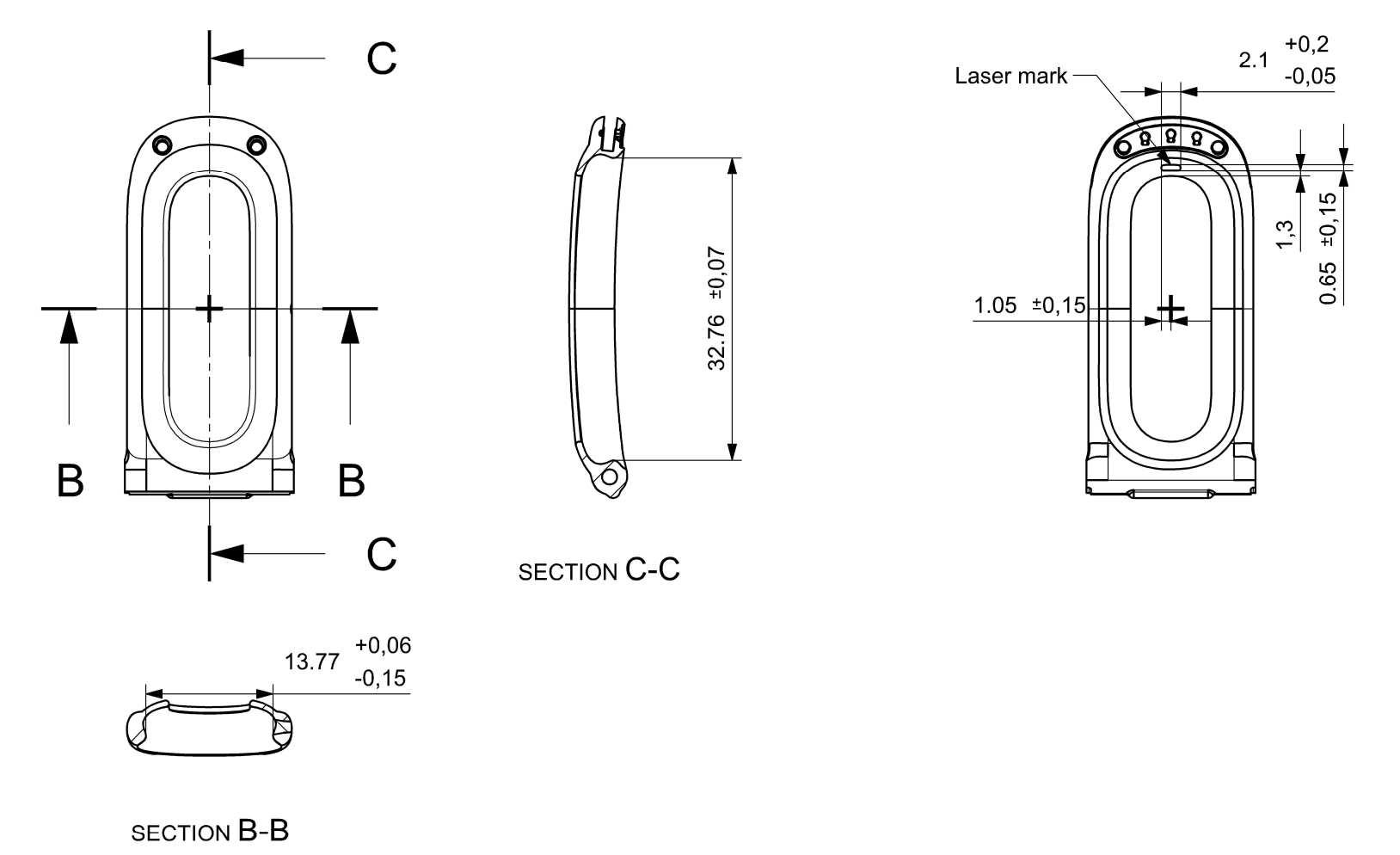
Most of the things Google lists in those rules all make sense/etc… The PDF itself basically has three pages that show the pod from different sides, and then all the dimensions.
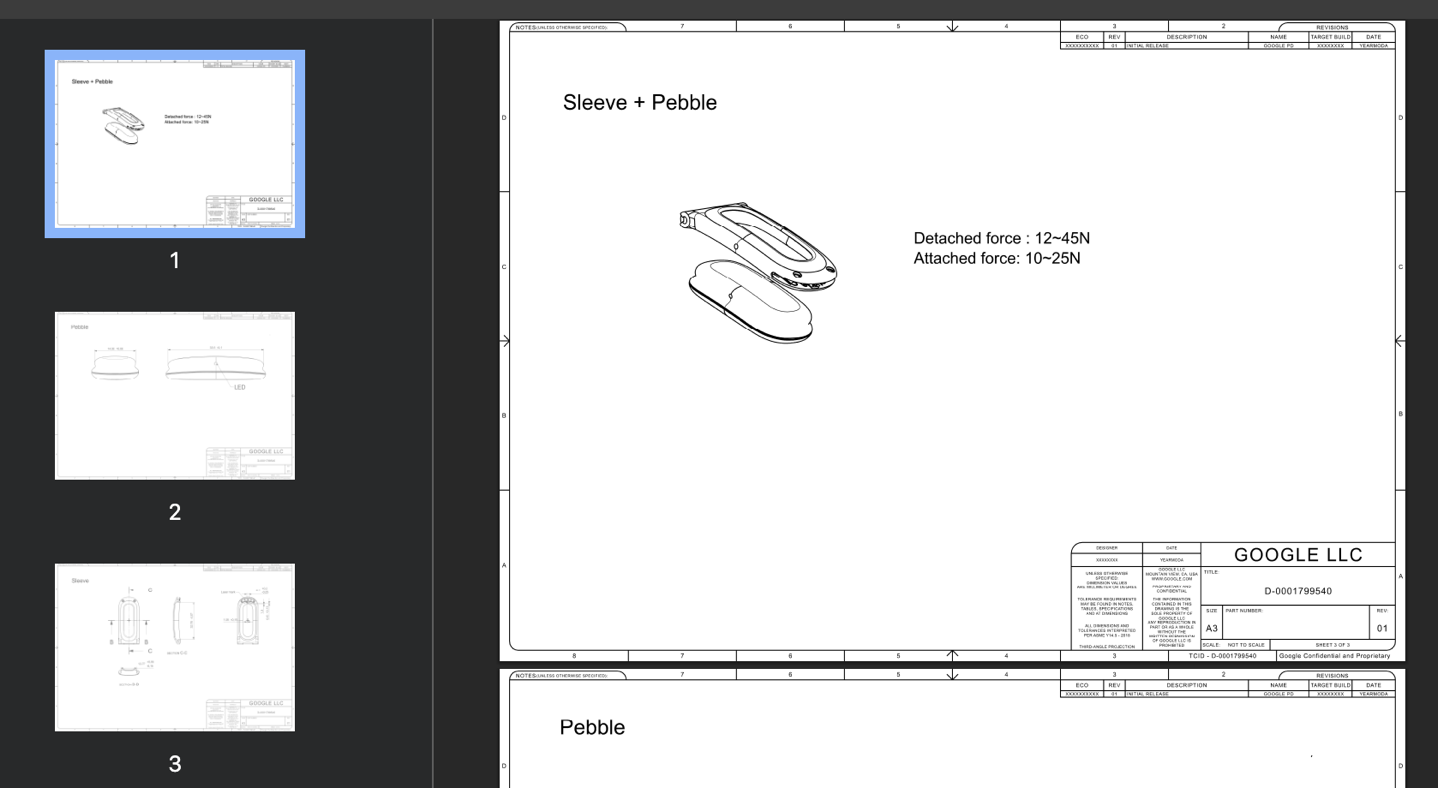
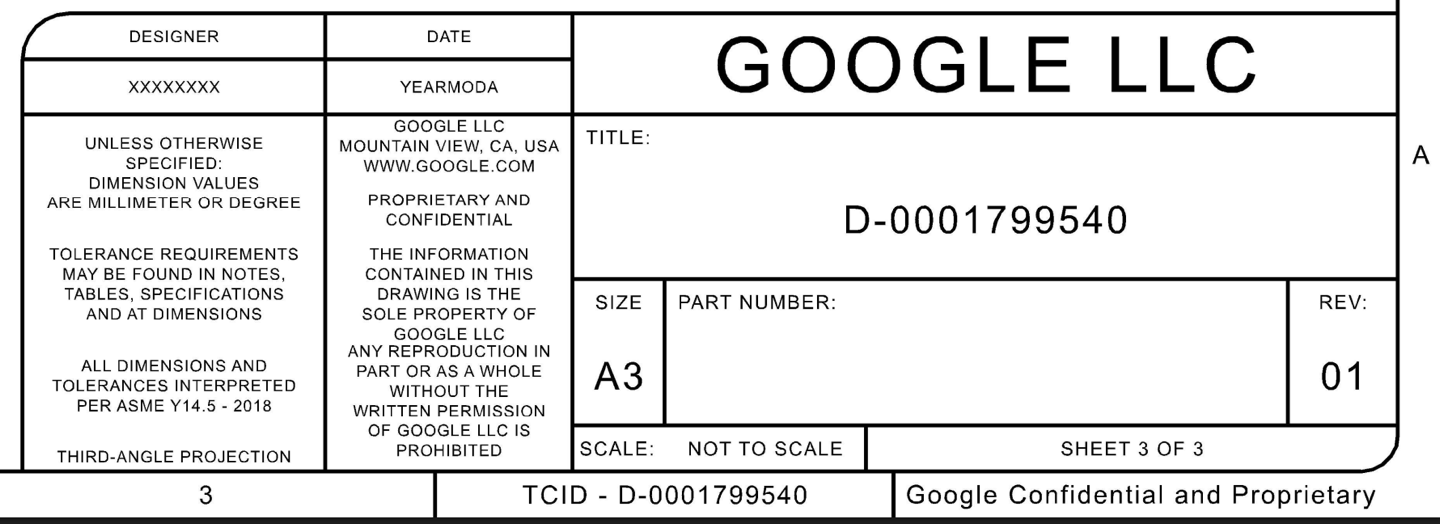
That said, I do find two things mildly notable. I’d assumed they’d have simply included/attached the actual CAD files, rather than the PDF’s. And secondly, I note at the bottom, they left the Google Confidential bits. Also, I feel like the ‘Not to Scale’ piece probably doesn’t belong here either.
In any case, hopefully, this quickly opens the door to cheap bicep bands galore!
Now, that said, if someone wants to create a combo Apple Watch fabric band + Fitbit Air holder on the opposite side, I’m all ears. The same goes for any other combination of bands. I like having long-term platform data on multiple devices (though I generally only do accuracy testing on proper straps/placements). So minimizing the number of straps I have to wear would be handy. Just throwing that out there.
With that – thanks for reading!
FOUND THIS POST USEFUL? SUPPORT THE SITE!
Hopefully, you found this post useful. The website is really a labor of love, so please consider becoming a DC RAINMAKER Supporter. This gets you an ad-free experience, and access to our (mostly) bi-monthly behind-the-scenes video series of “Shed Talkin’”.
Support DCRainMaker - Shop on Amazon
Otherwise, perhaps consider using the below link if shopping on Amazon. As an Amazon Associate, I earn from qualifying purchases. It doesn’t cost you anything extra, but your purchases help support this website a lot. It could simply be buying toilet paper, or this pizza oven we use and love.
FacebookXLinkedInShare Tags: Fitbit, Fitbit Air « Garmin Adds Free inReach SOS to Suspended PlansRelated Posts
 » The $99 Fitbit Air (Whoop Competitor): Everything You Need to Know!
 » Fitbit Air: 24 Hours Later First Impressions
- » Fitbit Charge 5 In-Depth Review
- » Whoop On The Defensive: Hastily Worded Plan of Future Features
- » Fitbit Air In-Depth Review: A True Whoop Competitor for $99?
 » Fitbit Air: 24 Hours Later First Impressions
 » Fitbit Charge 5 In-Depth Review
 » Whoop On The Defensive: Hastily Worded Plan of Future Features
 » Fitbit Air In-Depth Review: A True Whoop Competitor for $99?
You can wear the Fitbit as an Apple Watch strap today, all you need is a cheap and widely available Apple Watch adapter for standard watch straps. Then you hook it up like this: link to reddit.com
Ohhh…very smart. Off to Amazon I go…
The above image wouldn’t work for an apple or garmin etc cause you it blocks the sensor on the watch but I have seen straps which allow both sensors to touch your skin although they aren’t very well known brands or seem of good quality.
Yeah, you’re basically just looking for a trail-loop style band that goes into both sides, but then has the sensor itself free.
If folks have other creative ideas, feel free to drop them here (note: if it’s a link, it’ll temporarily be put in a bin for me to manually approve, unless you’re a DCR Supporter, but no biggie, I usually approve quickly)
Would something like the simple velcro stretch band used on the Wahoo Tickr Fit HRM work?
I don’t know where to find similar tho if you don’t already have a bunch of bands from broken Tickr Fits like I do lol.
Edit: oh actually here ya go:
link to ca.wahoofitness.com
Doh, you’re right. I think you could probably mutilate the band to make it work but that’s a little hacky.
This approach looks interesting.
link to etsy.com
Yeah, saw that one as well. Only downside is looks a bit chunky. But I’m sure we’ll quickly see other options!
‘Not go Scale’ needs a tweak
I think this is a good marketing ploy given they know it’s going to happen anyway !
Normally “Not to Scale” in drafting means if you were to print the drawing out on an A3 size paper, which is specified in the title block of the drawing, a 14.36 mm dimension would not actually measure 14.36 mm on that piece of paper.
Not To Scale seems correct for shop drawings considering there’s no graphic scale and these can be printed on any size paper meaning you have to go by the measurements themselves and not by measuring them on paper or PDF. As someone who draws these kinds of documents, I always put them on the sheet at a specific scale but always put not to scale as a way to kind of cover myself.
It does specify that it’s to be printed on A3, but as every printer scales a bit differently not to scale should always be either written or implied for such drawings. And of course one should never try to measure things on paper anyway.
someone make a dark gray garmin knock off band with a silver buckle. jesus. I have asked strapsco a million times. Black buckles look bad with the silver bezel and the black bands don’t go with the dark gray fenix.
Is there any risk that wearing a device that was designed to be worn on the wrist on the bicep instead could lead to degraded performance? Both in terms of physiological measurements and motion patterns? The review article notes that there is a lot of post-processing done in order to classify things correctly, so whatever algorithms are used might be sensitive to the differences, if all the training data is wrist based.
Having done a *lot* of bicep wearing on devices over the years, I’ve got a pretty good grasp on that aspect.
There are most definitely location-specific things companies do in this area, and optimize for. In the case of Whoop, it’ll even ask you where you’re wearing it for example.
In my experience, the bicep results in roughly two things:
1) Far better accuracy of optical HR in every sports activity. I recently saw a ‘scientific’ comparison between a Fitbit Air on the wrist, and the Whoop on the bicep, which is baffling to me (to click-bait it as scientific), when that’s such a huge advantage to the Whoop. Just as it is for every sensor on the bicep. Be it Polar, Amazfit, or even putting a Garmin up there (I did that last summer for fun). The bicep absorbs much of the vibration/bounce/etc that the wrist does not. It’s always better, period (I’ve never once seen it worse in sports).
2) That said, there are other life areas where the bicep can be a bit more fiddly, specifically sleep. I find that when I wear these sensors on my bicep (Whoop, Amafit, Polar), there can be times where it incorrectly detects the time I fell asleep, specifically. Everything else is fine, but it’ll often overestimate (say I feel asleep earlier than I did) because the movement on my bicep is far less than my wrists. This is especially true if you’re on your phone in bed, etc… This doesn’t happen every day or anything, maybe once every few weeks, but I notice it.
Still, on the whole I find the accuracy benefits outweigh the losses.
Btw: a Garmin CIRQA question;
I just read a few German reports speculating that Garmin intends to market the CIRQA as a companion device for watches like the Fenix 8—on the grounds that it can detect and start an activity more accurately than the watch itself (and use the watch gps), despite the latter costing over $1,000? Surely that’s nonsense… right?
Rumor sites like to rumor. In the absence of actual details, rumor sites make up things to get you to click.
I’m surprised that the CIRQA hasn’t been announced by Garmin yet. They are probably a bit shaken by the Fitbit Air; but then again, perhaps the Helio 2 strap from Amazfit will be coming soon, too… Still, Garmin surely knows what they’re doing—and perhaps they only intend to sell a limited number of this niche (?) product anyway (and if connect+ is needed…).
the5krunner has an interesting article on exactly this:
link to the5krunner.com
@Ray: At the risk of being pedantic, it is bicepS not bicep.
Perhaps, though, I double-down on your pedantry, and raise you whatabousim: link to shop.whoop.com
Well, if the CIRQA is not a Whoop aquivalent or at least better then the Fitbit Air (because it will be definitely way more expensive) and is just being used by Garmin to get rid of their last batch of E4 sensors, this thing might not be very popular. I thing the Sleep Monitor was a bit of a disappointment so lets hope they nail it…and not like in the baking show “Nailed it”!!